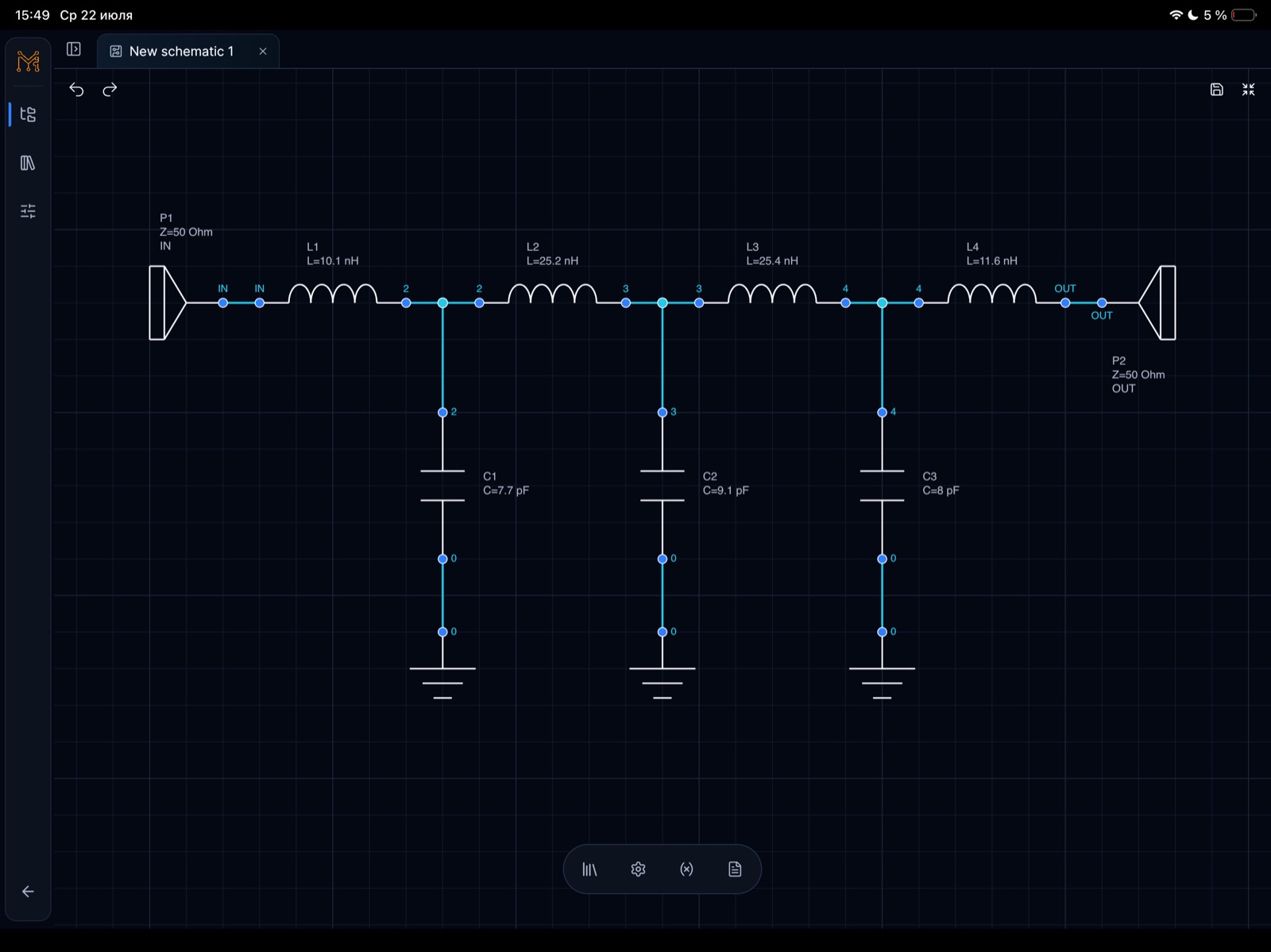
Schematic editor
Ports, components, net labels और touch-friendly editing के साथ analog और RF circuits बनाएं.
Tersa EDA मोबाइल और desktop app है जिससे आप schematics बना सकते हैं, circuit simulations चला सकते हैं, components tune कर सकते हैं और RF measurements देख सकते हैं.


Product proof
Schematic बनाएं, analysis चुनें, measurements जोड़ें और device छोड़े बिना values tune करें.

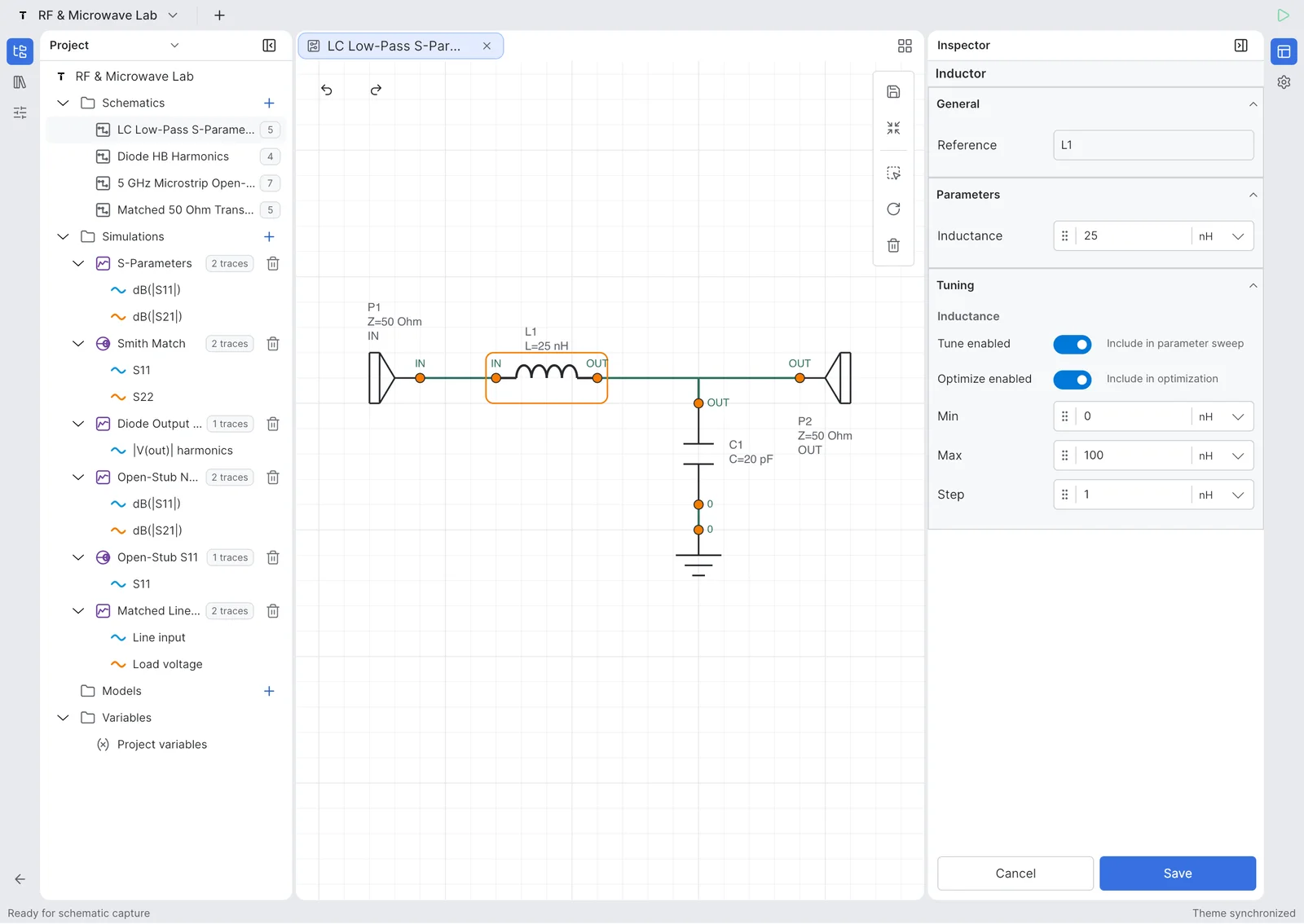
Ports, components, net labels और touch-friendly editing के साथ analog और RF circuits बनाएं.

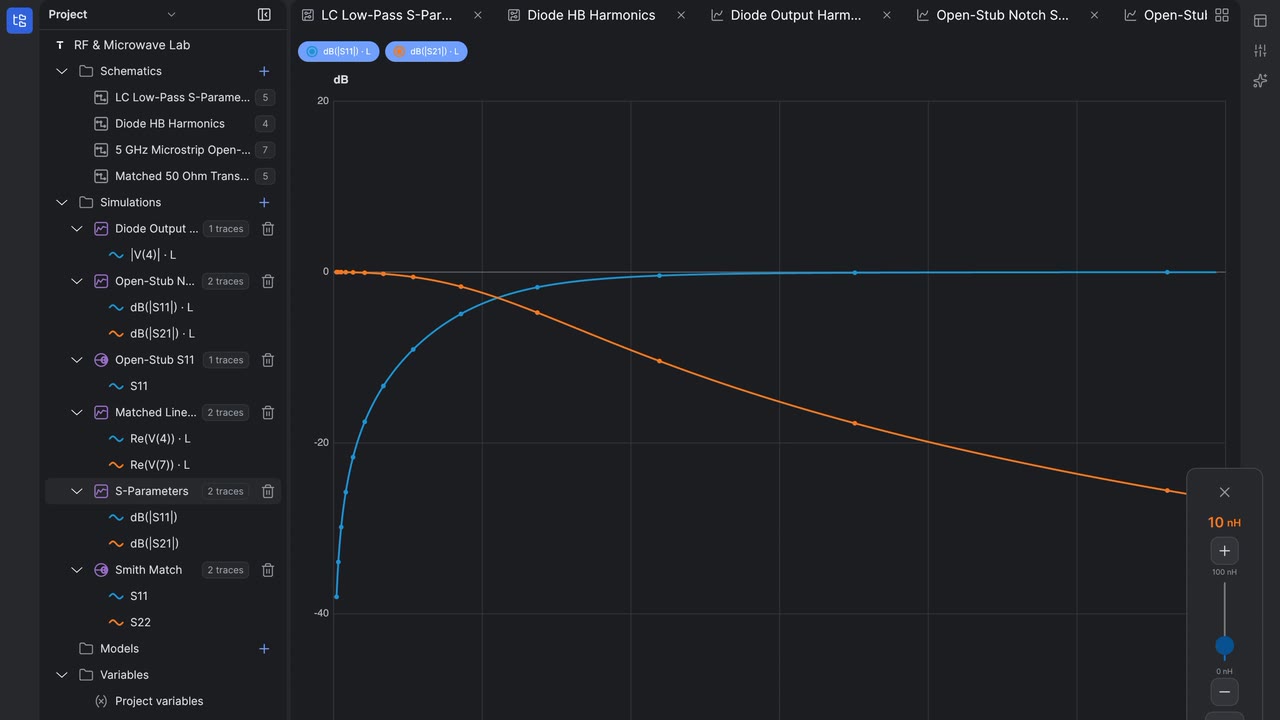
Traces, markers, frequency response और derived measurements inspect करें.

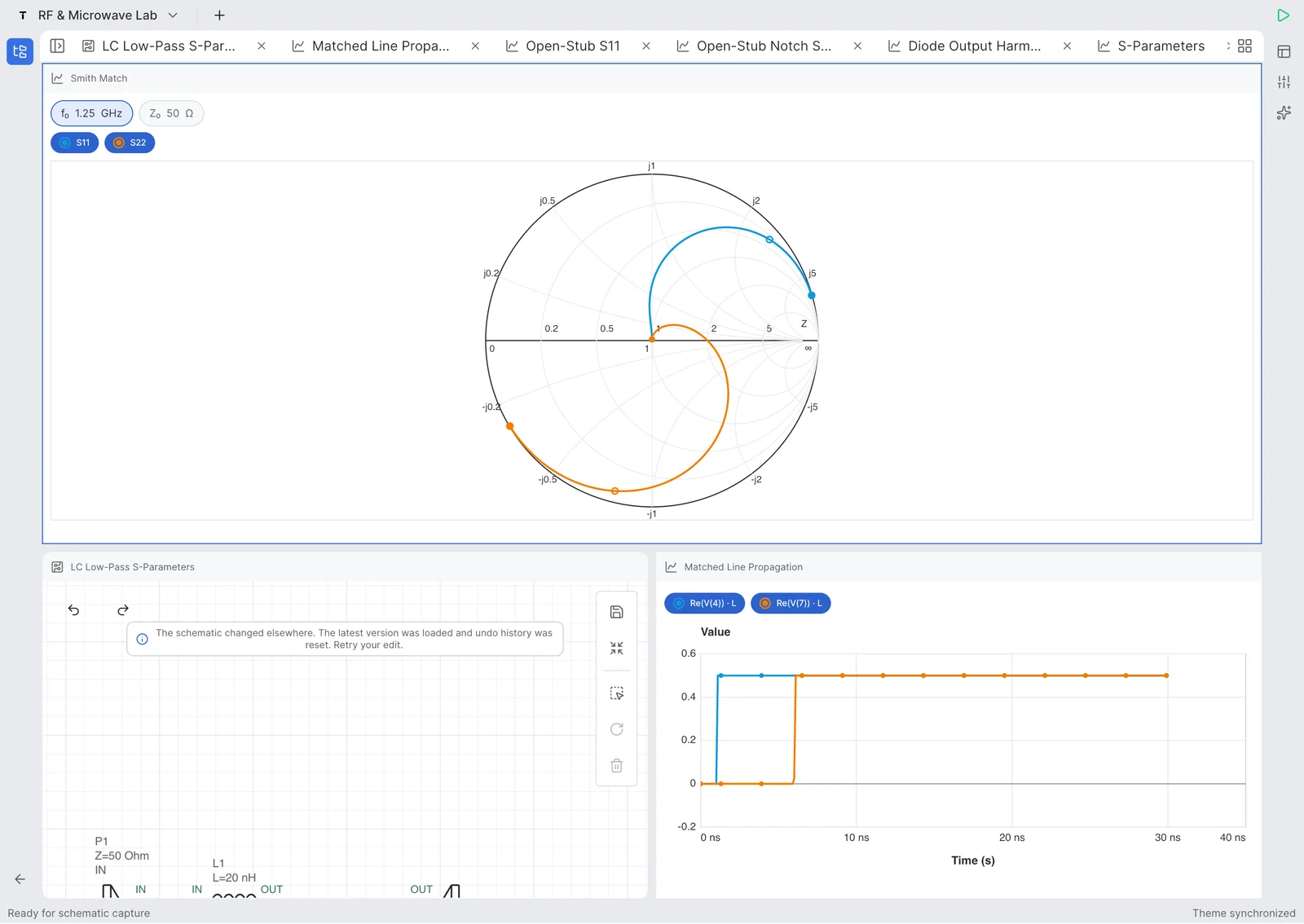
S-parameters, return loss, insertion loss, impedance और Smith chart trajectories analyze करें.
Updated July 27, 2026
Tersa EDA is an RF and analog circuit simulation workspace for engineers, students, and hardware teams who need a focused schematic-to-measurement flow. It combines schematic capture, SPICE-compatible analysis setup, plots, RF measurements, Smith chart inspection, and component tuning in one product surface. The goal is not to replace large desktop EDA suites. The product is designed for quick experiments, tablet review, mobile debugging, and focused circuit tuning when the important question is how the response changes after a component value, port, or measurement is adjusted.
Tersa EDA presents RF results around practical measurements: S11, S21, S12, S22, return loss, insertion loss, gain, stability-oriented traces, frequency markers, and Smith chart trajectories. The workflow starts from the schematic, adds ports and analysis settings, then keeps the plot and tuner connected to the circuit. This makes it useful for filters, matching networks, resonators, small-signal experiments, and quick RF review where the designer needs to compare traces instead of exporting data between separate tools.
The 500 MHz low-pass filter example demonstrates a complete RF workflow on iPad. It shows a 50 ohm ladder filter with series inductors, shunt capacitors, input and output ports, S-parameter simulation to 1 GHz, insertion loss, return loss, and component tuning. The blue S21 trace shows passband behavior and roll-off, while the green S11 and S22 traces help inspect matching. The tuning sweep makes cutoff movement visible as capacitor and inductor values change around the target frequency.
सुविधाएँ
Mobile, tablet या desktop पर components, ports, labels और reusable sheets के साथ circuits बनाएं.
Clean plots, markers और trace controls के साथ AC, transient और RF analyses चलाएं.
S-parameters, return loss, insertion loss, Smith charts, gain और stability metrics inspect करें.
Component values tune करें और circuit response में बदलाव तुरंत देखें.
Workflow
Schematic बनाएं, analysis चुनें, measurements जोड़ें और device छोड़े बिना values tune करें.
Components place करें, nets connect करें और ports define करें.
AC, transient या RF simulations चलाएं.
Voltages, S-parameters, losses और markers plot करें.
Components adjust करें और response compare करें.
Product demos
Short videos Tersa EDA में schematic creation, simulation, measurement और live component tuning दिखाते हैं.
Tune an RLC circuit directly on iPhone and watch the response update while component values change.
YouTube पर खोलेंCreate an RLC schematic on iPhone, run simulation, and inspect the first measurement workflow.
YouTube पर खोलेंUse the iPad workspace to tune resonance and compare circuit response changes on a larger engineering canvas.
YouTube पर खोलेंBuild an RLC resonator from scratch on iPad and move from schematic capture into analysis setup.
YouTube पर खोलेंRF example
A concrete LPF case study built in Tersa EDA: schematic capture, 50 ohm ports, S-parameter simulation, insertion loss, return loss, and component tuning around a 500 MHz target.
Target
500 MHz LPF
Ports
50 ohm IN / OUT
Analysis
S-parameters to 1 GHz
Workflow
Schematic, plot, tuner
This example shows a lumped 500 MHz low-pass filter workflow, not a generic screenshot gallery. The circuit uses a ladder topology with 50 ohm input and output ports, series inductors, shunt capacitors, and RF measurements plotted from DC to 1 GHz.
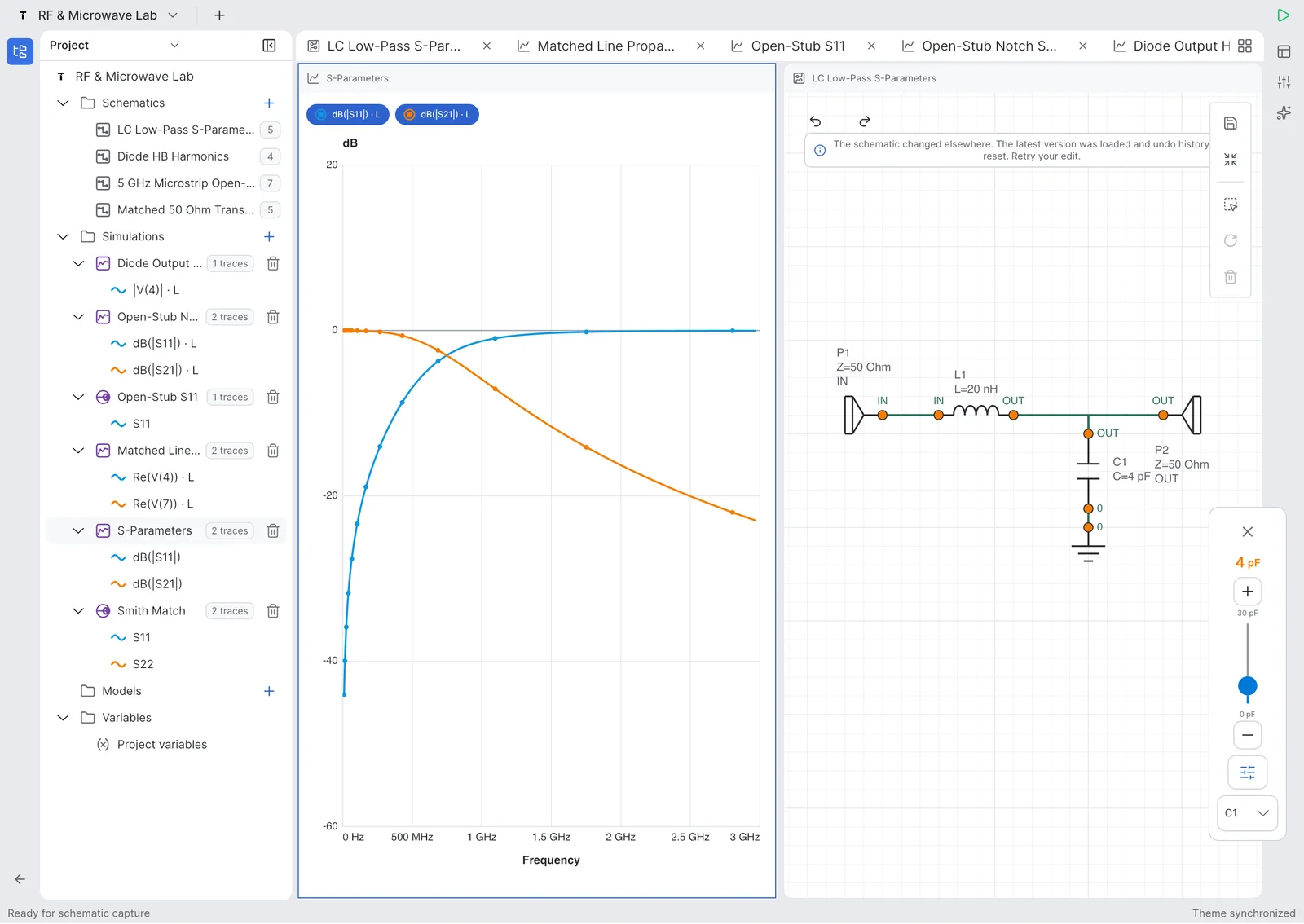
The blue S21 trace shows the passband and roll-off, while the green S11/S22 traces help inspect matching and return loss. Tuning sweeps make cutoff movement visible as component values change.


S-parameter response with S21 staying flat through the passband before the transition region toward 1 GHz.

Tuning ranges expose capacitor and inductor values so the cutoff behavior can be optimized directly from the schematic.

A tuning sweep compares multiple S-parameter traces around the cutoff and stopband regions.

The project workspace keeps the LPF schematic, simulation plot, variables, and tunable parameters in one engineering flow.

Return loss and insertion loss traces make it possible to inspect passband fit and out-of-band rejection.
RF टूल
Tersa EDA everyday analog simulation के साथ RF-focused measurements देता है: S-parameters, return loss, insertion loss, Smith chart trajectories, gain metrics, stability factors और target-frequency markers.


Analog
Filters, dividers, amplifiers, diode circuits, RC transients, frequency response checks और quick what-if experiments के लिए Tersa EDA इस्तेमाल करें.
Screenshots
Projects, schematic editing, RF plots, Smith chart inspection और tuning की real app screens.


Beta testing
हम engineers, students और RF/analog teams को early builds test करने और पहले क्या sharpen करना है बताने के लिए invite कर रहे हैं.
अभी नहीं. Tersa EDA schematic capture, circuit simulation, measurements, plots और analog/RF tuning पर focus करता है.
नहीं. यह quick circuit experiments, mobile review और RF/analog tuning के लिए lightweight workspace है.
पहले versions analog circuits, AC और transient analysis, S-parameters, Smith charts और component tuning पर focus करते हैं.
नहीं. Interface mobile, tablet और desktop screens के लिए designed है.
Tersa EDA circuit analysis के लिए SPICE-compatible simulation workflow इस्तेमाल करता है.