SPICE circuit simulator for iPhone, iPad and Android

Design, simulate, and tune RF and analog circuits.

Draw a schematic, run DC, AC, transient, or S-parameter analysis, inspect plots and Smith charts, and tune component values in one workspace built for touch.

Draw the circuit → Choose analysis → Add measurements → Tune values

Tersa Circuit Simulator

Simulate analog and RF circuits with SPICE, inspect S-parameters and tune components. Use the app on iPhone, iPad or Android, or explore the separate Web CAD workspace.

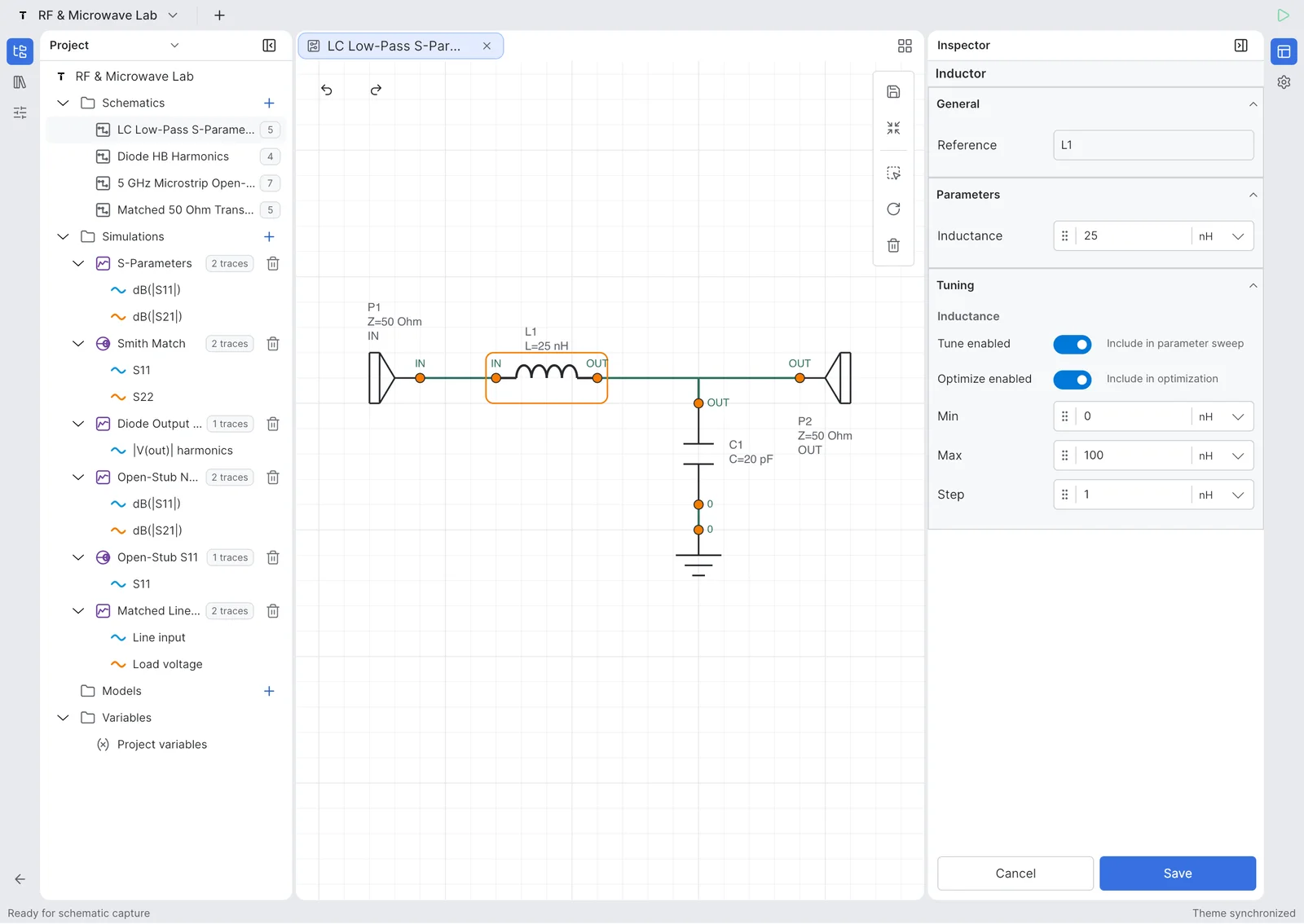
Schematic editor. Draw analog and RF circuits with ports, components, net labels, and touch-friendly editing.

Schematic editor

Draw analog and RF circuits with ports, components, net labels, and touch-friendly editing.

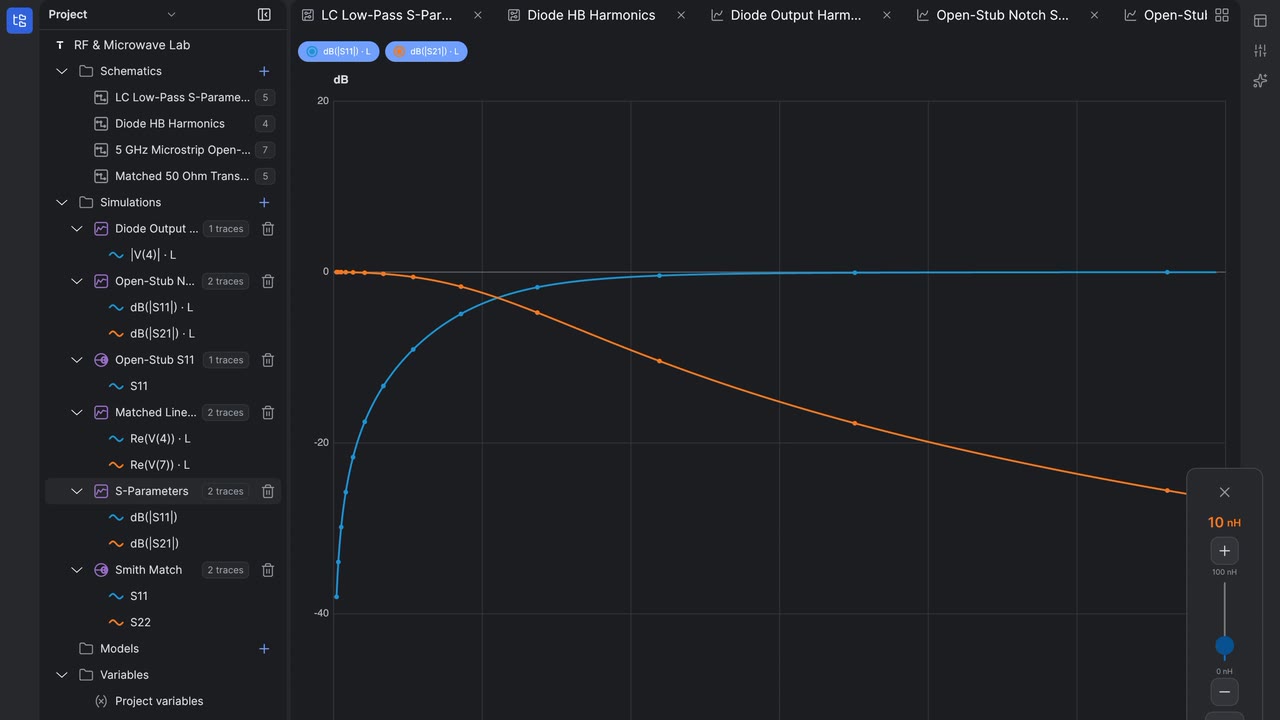
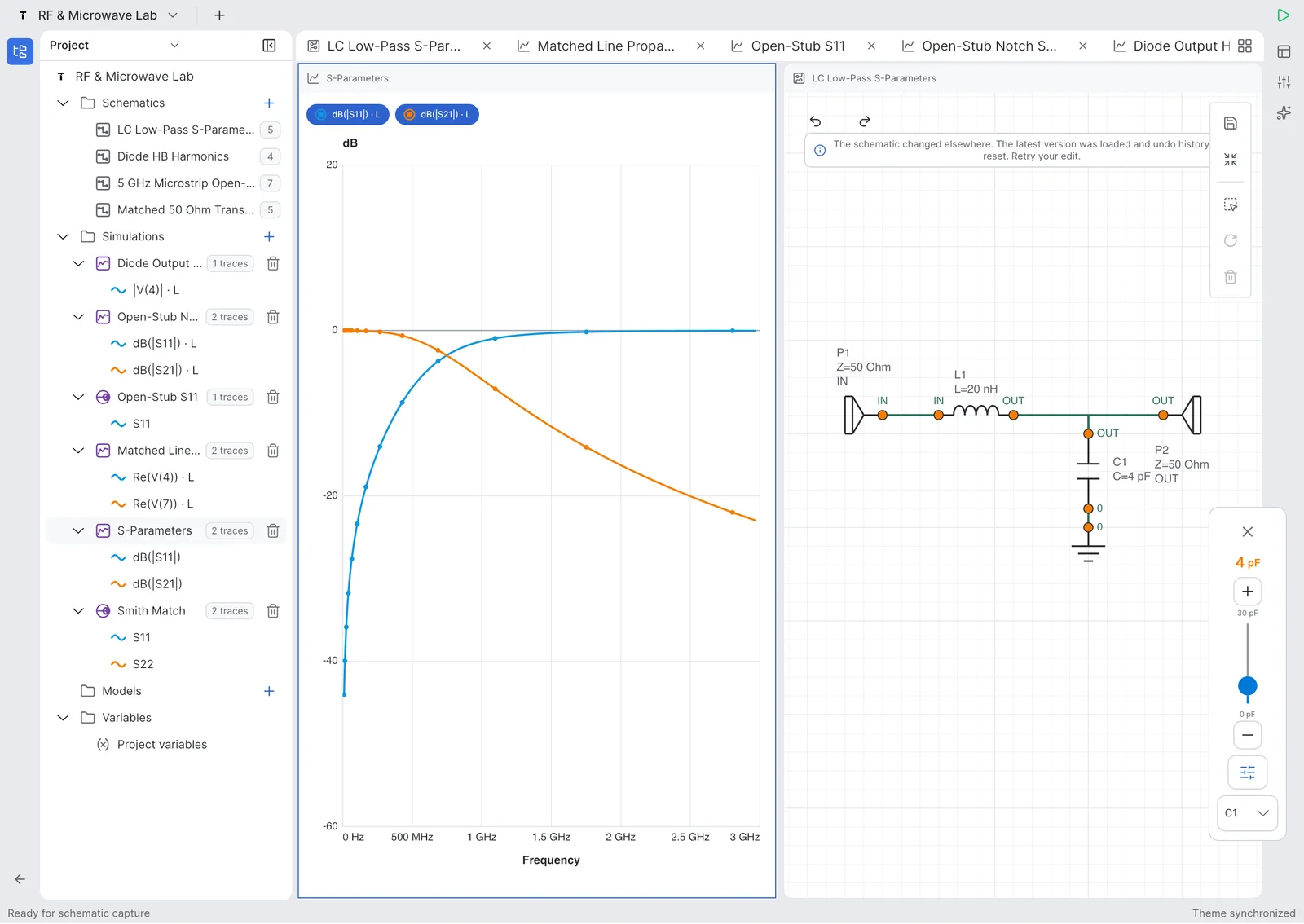
Measurements and plots. Inspect traces, markers, frequency response, and derived measurements.

Measurements and plots

Inspect traces, markers, frequency response, and derived measurements.

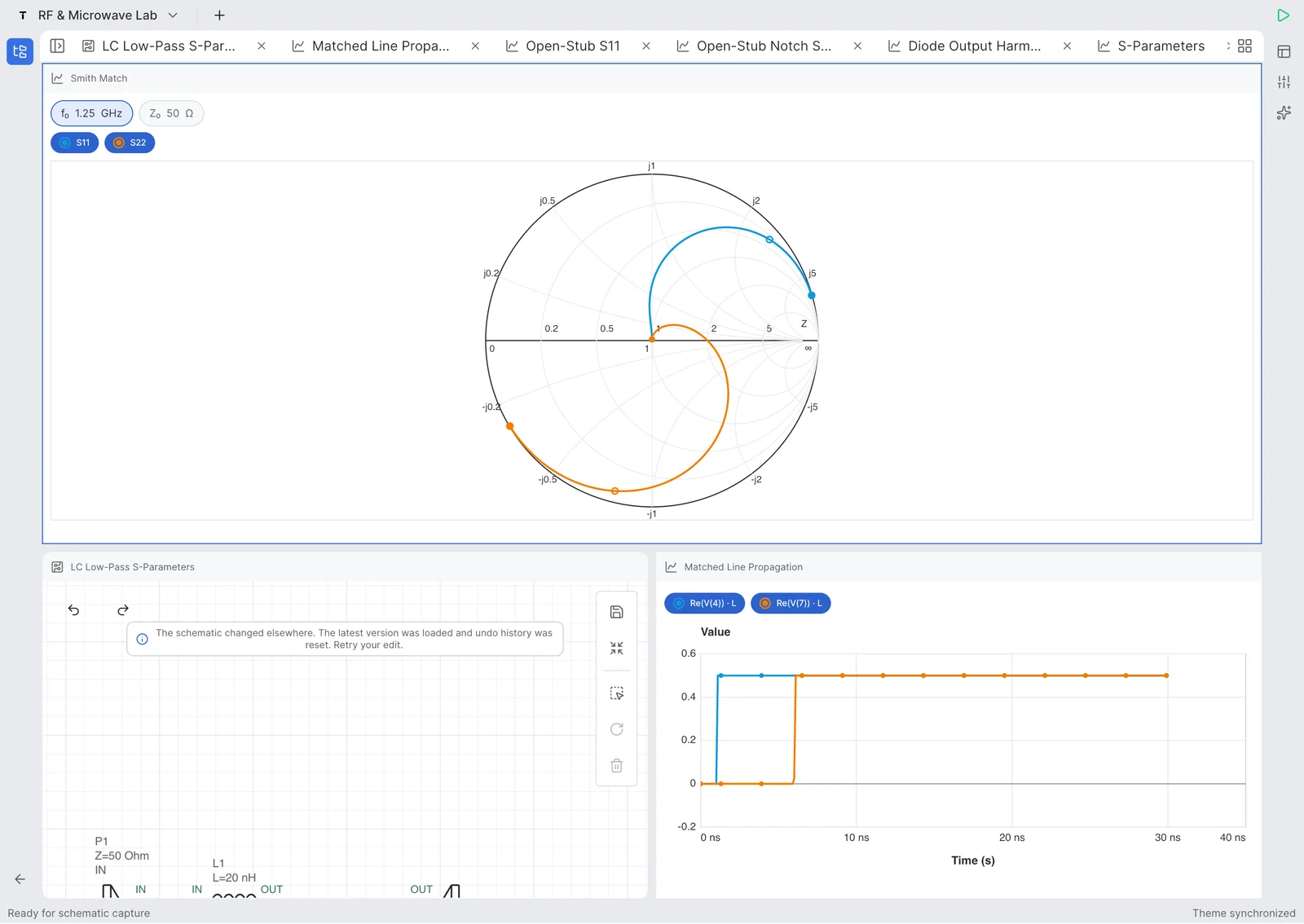
RF and Smith chart. Analyze S-parameters, return loss, insertion loss, impedance, and Smith chart trajectories.

RF and Smith chart

Analyze S-parameters, return loss, insertion loss, impedance, and Smith chart trajectories.

Watch real RLC workflows on iPhone and iPad.

Short product videos show schematic creation, simulation, measurement, and live component tuning in Tersa EDA.

Tuning RLC Resonance in Real Time on iPad

Use the iPad workspace to tune resonance and compare circuit response changes on a larger engineering canvas.

Open on YouTube

500 MHz low-pass filter example on iPad.

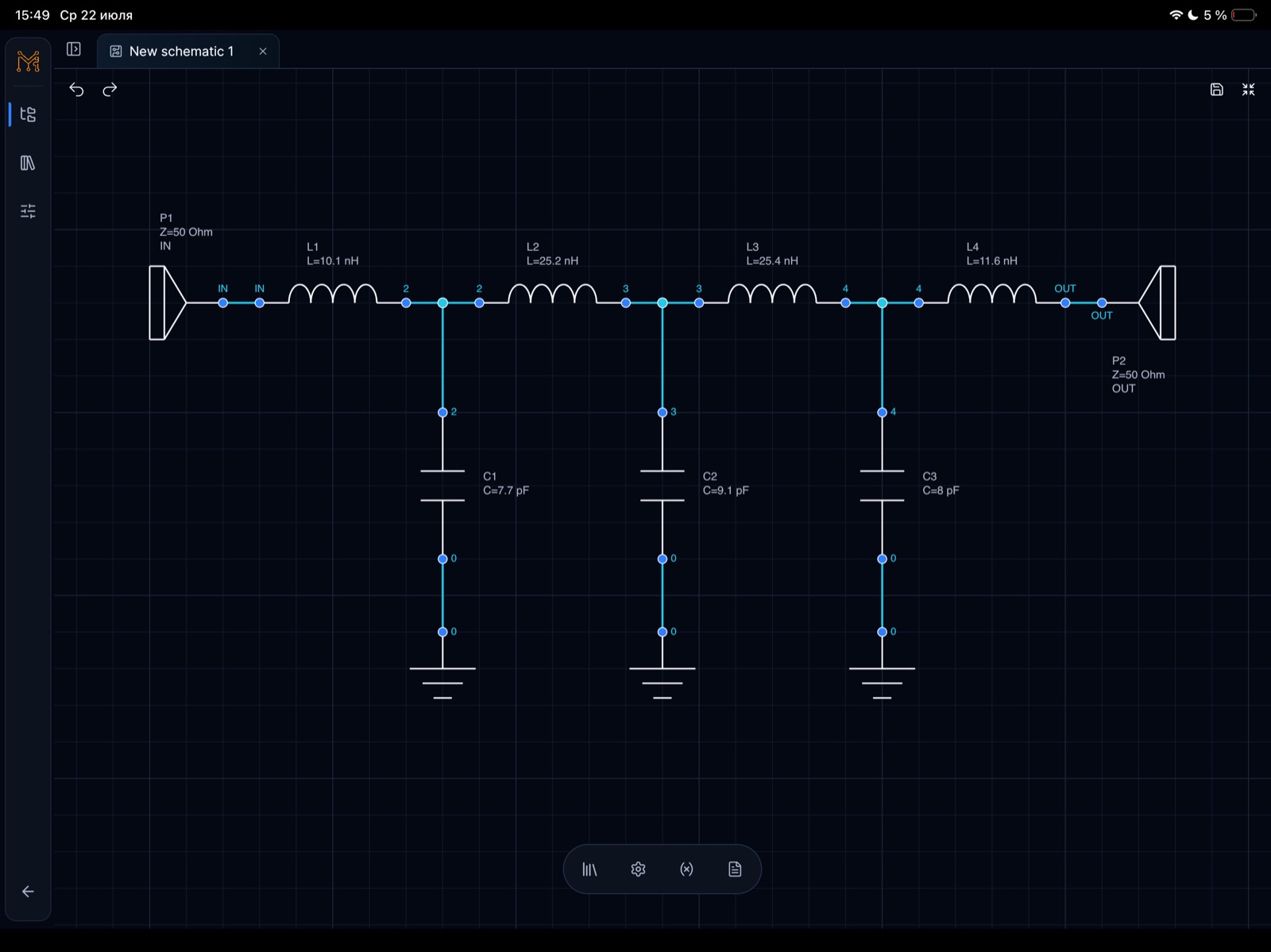
A concrete LPF case study built in Tersa EDA: schematic capture, 50 ohm ports, S-parameter simulation, insertion loss, return loss, and component tuning around a 500 MHz target.

Target
500 MHz LPF
Ports
50 ohm IN / OUT
Analysis
S-parameters to 1 GHz
Workflow
Schematic, plot, tuner
RF example
500 MHz low-pass filter schematic with 50 ohm input and output ports, four inductors, and three shunt capacitors in Tersa EDA on iPad
500 MHz low-pass filter schematic on iPad. Schematic capture for a 50 ohm 500 MHz low-pass filter with L1-L4 series inductors and C1-C3 shunt capacitors.

Built for RF experiments.

Tersa EDA includes RF-focused measurements alongside everyday analog simulation: S-parameters, return loss, insertion loss, Smith chart trajectories, gain metrics, stability factors, and target-frequency markers.

RF Tools

Useful for everyday analog circuits.

Use Tersa EDA for filters, dividers, amplifiers, diode circuits, RC transients, frequency response checks, and quick what-if experiments.

Analog

App Store · Google Play

Tersa is available for iPhone, iPad and Android.

Create schematics, run circuit simulations, inspect measurements, and tune components on your iPhone, iPad or Android.

Available for iPhone, iPad and Android. Availability may vary by country or region.

Interested in testing other platforms or upcoming features? Send us a note.

hello@tersaeda.com

Engineering agent platform

Tersa MCP is more than a SPICE wrapper.

Tersa MCP is the agent-facing control plane for Tersa engineering workflows. SPICE simulation, typed measurements, bounded optimization, Touchstone 1.x inspection, and editable circuit generation are live production capabilities. Harmonic balance, EM, and broader RF synthesis remain gated roadmap work.

Tersa MCP for Engineering Agents

FAQ

Is Tersa EDA a PCB design tool?

Not yet. Tersa EDA focuses on schematic capture, circuit simulation, measurements, plots, and analog/RF tuning.

Is it a replacement for ADS, AWR, or LTspice?

No. It is a lightweight workspace for quick circuit experiments, mobile review, and RF/analog tuning. It is designed to complement desktop engineering tools.

What can I simulate?

The first versions focus on analog circuits, AC and transient analysis, S-parameters, Smith charts, and component tuning.

Is it mobile only?

The app is available for iPhone, iPad and Android. Web CAD is a separate browser workspace.

What simulator workflow does it use?

Tersa EDA uses a SPICE-compatible simulation workflow for circuit analysis.