
SPICE on mobile

Mobile SPICE simulator for iPhone and iPad

Tersa is a mobile SPICE simulator for iPhone and iPad: draw schematics, run DC, AC, and transient analysis, inspect plots, and tune circuit values.

Reviewed: 2026-10-16

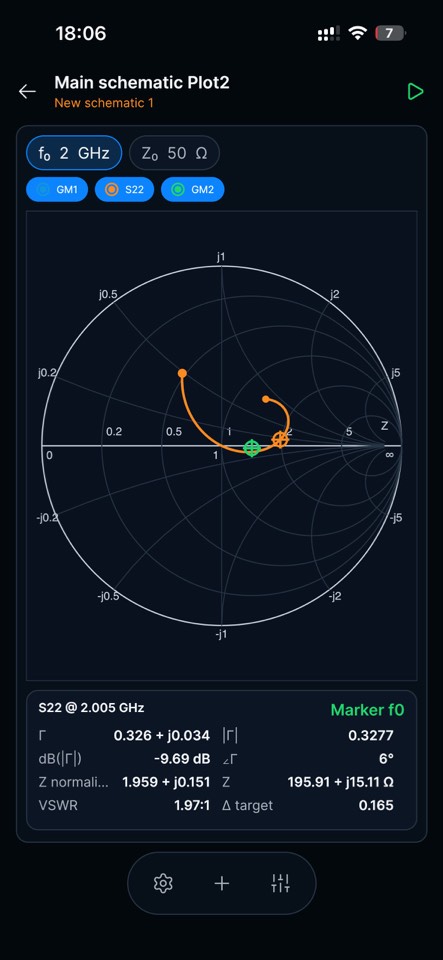
Tersa mobile SPICE simulator showing an S-parameter Smith chart and marker measurements on iPhone

Application workflow

Run the matching loop in Tersa EDA

Use the real product flow to move from a circuit and reference impedance to measured reflection, component tuning, and a verified frequency sweep.

01 · Capture

Draw and edit the circuit with touch controls

Create the schematic, select a component, and edit its electrical values without squeezing a desktop interface onto a smaller screen.

  • Touch-oriented schematic editing
  • Component inspector with explicit units
  • Ground, sources, passives, semiconductors, and RF ports
  • Project navigation beside the active schematic
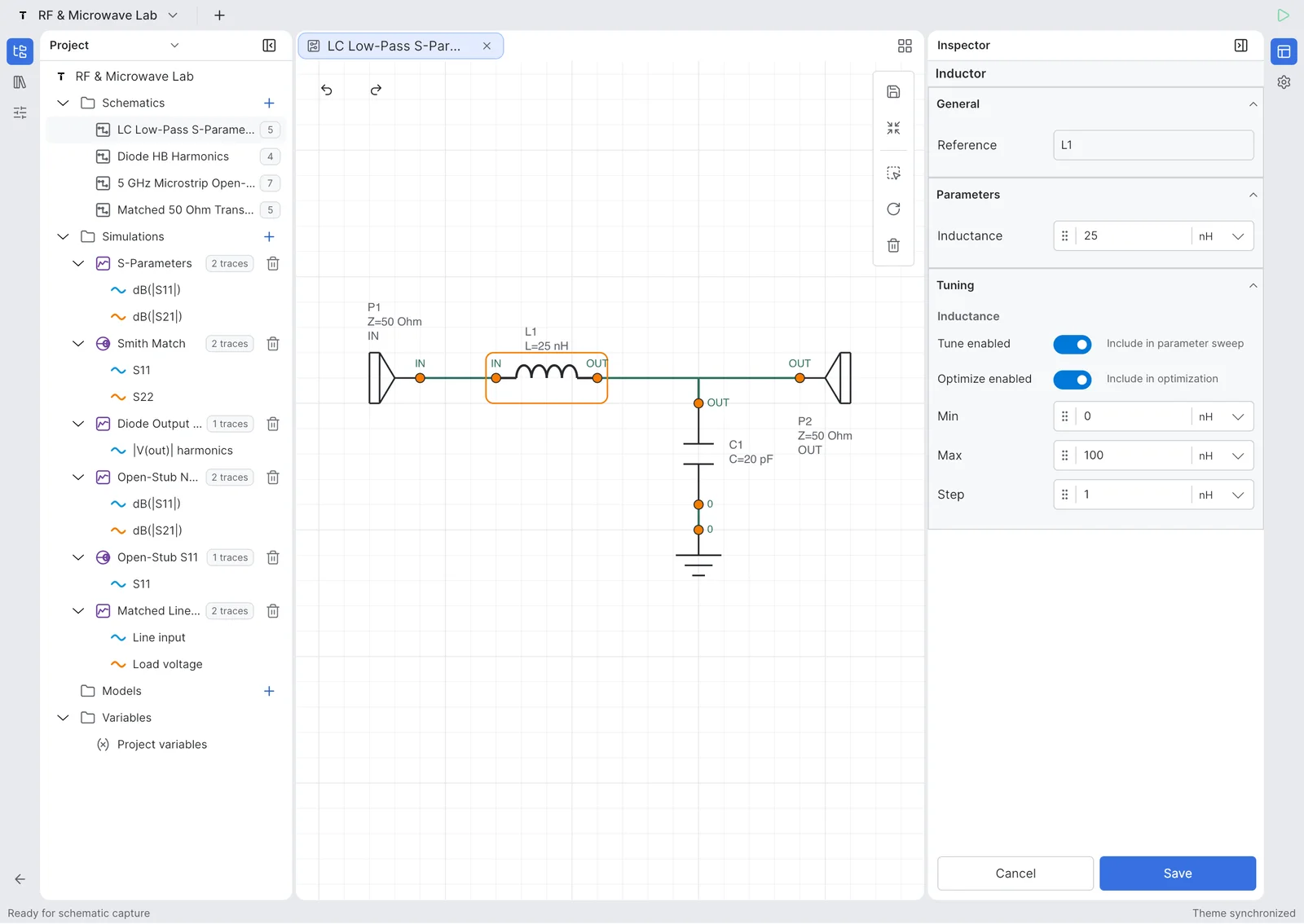
Tersa schematic editor on iPad with an LC low-pass circuit and inductor settings
Real Tersa product capture on iPad; the application UI and circuit are not illustrative mockups.

02 · Simulate

Run the analysis and tune values beside the result

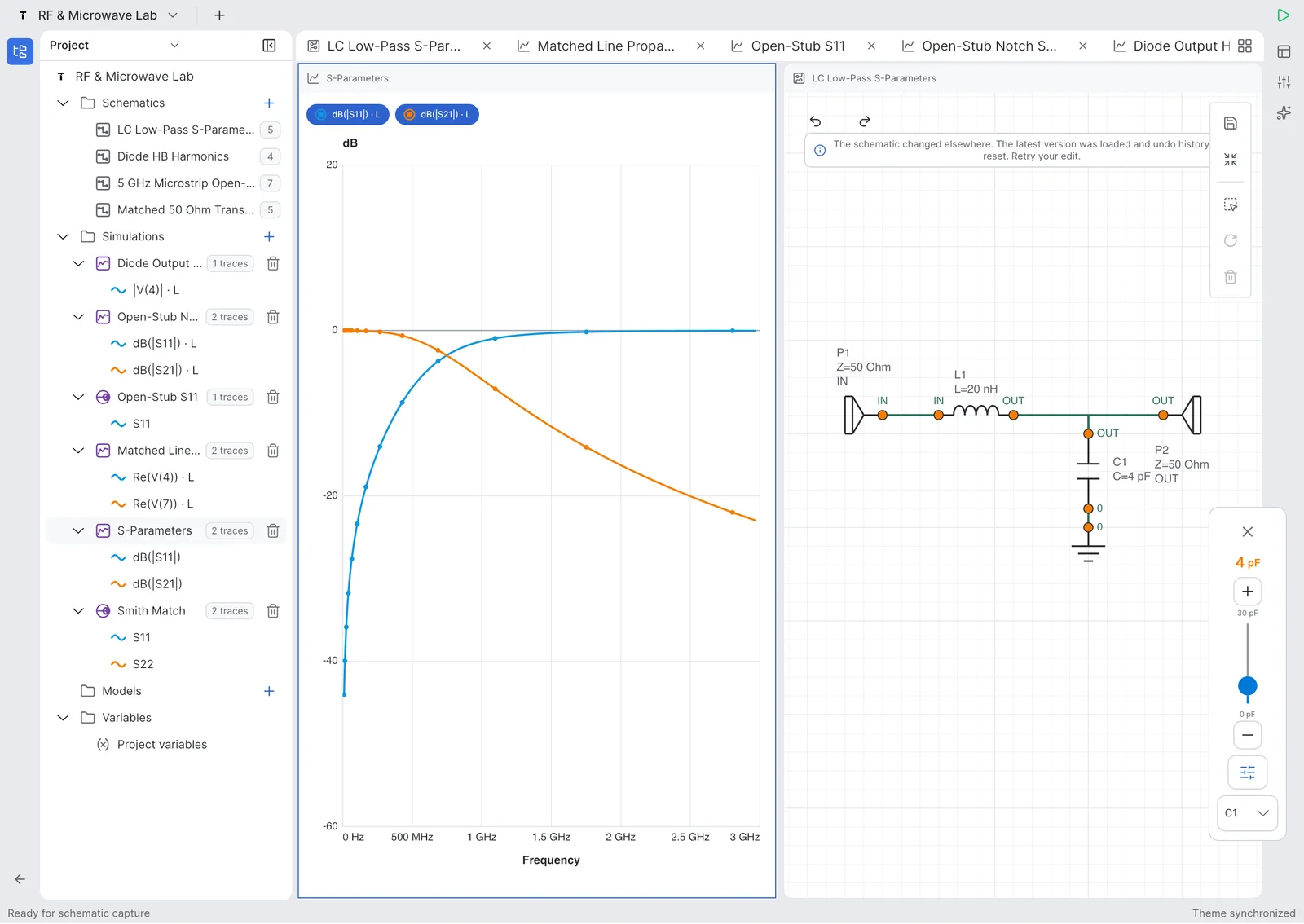
Tersa keeps the circuit and plotted response together. Change a component value, rerun, and compare the electrical result without exporting data to a separate plotting app.

  • DC, AC, and transient workflows for analog circuits
  • S-parameter analysis for one-port and two-port RF work
  • Plots, traces, markers, and explicit axes
  • Component tuning next to the active schematic
Tersa on iPad showing an S-parameter plot beside a low-pass filter schematic and component tuner
The screenshot shows a real S-parameter tuning loop; supported analog analyses use the same schematic-to-result flow.

03 · Measure

Inspect waveforms, RF traces, and impedance

Read the result at the level the circuit requires: voltage and current traces for analog work, or S-parameters and a Smith chart for matching and RF review.

  • Rectangular plots for frequency and time-domain results
  • S11, S21, S12, and S22 measurements
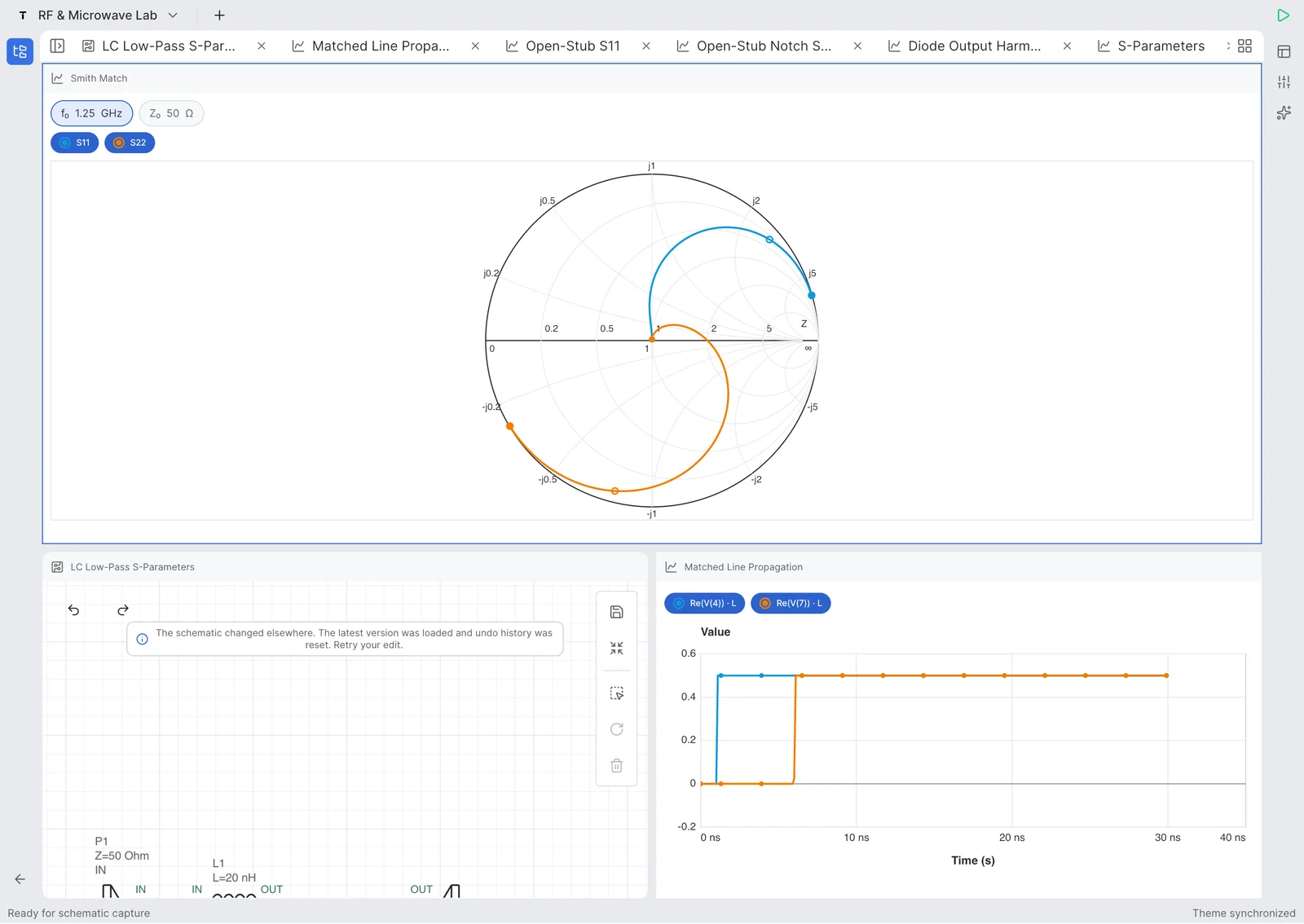
  • Smith chart trajectories and frequency markers
  • Insertion loss, return loss, and tuning context
Tersa Smith chart workspace on iPad with S11 and S22 traces and related plots
A larger iPad canvas shows the same touch-first measurement model with multiple engineering views open together.
Devices
iPhone + iPad
Analyses
DC / AC / transient
RF views
S-parameters + Smith
Engine
ngspice

01

What makes a useful mobile SPICE simulator

A mobile simulator has to do more than display a finished waveform. The practical loop starts with a schematic, exposes the analysis and model assumptions, produces inspectable traces, and makes another iteration quick enough to perform at the bench, in class, or away from a workstation.

  • Schematic capture and editing on the device
  • Explicit analysis type, sweep, units, and circuit reference
  • Readable plots with trace and marker controls
  • A short path from a changed value to a new result

02

Where mobile simulation fits

Tersa is designed for focused RF and analog experiments, quick review, and tuning. A phone is useful for checking a response or testing an idea; an iPad gives the schematic and plots more room. Large model libraries, extensive automation, and production sign-off may still belong in an established desktop flow.

  • Prototype RC, RLC, diode, filter, and matching-network ideas
  • Review a circuit response when a desktop workstation is unavailable
  • Tune values while keeping the plot visible
  • Recheck important results in the team’s established verification tool

03

Scope and current availability

Tersa is a focused circuit simulation workspace, not a claim of feature parity with LTspice, ADS, AWR, or a full PCB suite. The current public download is through Apple’s App Store. No Android release is claimed on this page.

  • Available through the App Store for the Apple mobile workflow
  • Built around ngspice-backed circuit analysis
  • RF and analog measurement views are first-class product surfaces
  • PCB layout and heavyweight desktop-suite replacement are outside this page’s promise

Workflow comparison

Tersa EDA and a desktop-only SPICE workflow

Compare the product scope and engineering workflow before moving a real circuit. This table reflects public product information, not claimed feature parity.

Published capabilities of Tersa and a desktop-only SPICE workflow
CriterionTersa EDAa desktop-only SPICE workflow
Best useQuick capture, review, measurement, and tuning on iPhone or iPadLarge projects, mature automation, deep model libraries, and established sign-off
InteractionTouch-oriented schematic and measurement controlsKeyboard, mouse, menus, scripts, and large multi-window layouts
Analog analysisDC, AC, transient, plots, markers, and tuning in a focused workspaceOften broader analysis controls, directives, and automation depending on the simulator
RF workflowS-parameters, Smith chart, insertion loss, return loss, and tuning viewsVaries by product and may require separate setup or tools
DecisionUse when portability and a short schematic-to-result loop matterUse when project scale, ecosystem depth, or qualification requirements lead

Primary sources

Check the product documentation

Published by the Tersa team using the official sources below. This is a documentation-based comparison, not a hands-on benchmark. Confirm current platform, model and plan support before switching.

FAQ

Can I run SPICE simulations on an iPhone or iPad?

Yes. Tersa provides a touch-oriented circuit workflow on iPhone and iPad, from schematic editing through analysis, plots, measurements, and component tuning.

Which analyses does Tersa support on mobile?

The mobile workflow covers DC, AC, and transient analysis for analog circuits, plus S-parameter and Smith chart views for focused RF work.

Is Tersa a complete replacement for LTspice, ADS, or AWR?

No. Tersa is intentionally narrower: it is built for portable RF and analog experiments, review, and tuning. Keep a mature desktop tool where model depth, automation, or formal verification requires it.

Is there an Android version?

This page does not claim an Android release. The current public download is available through Apple’s App Store.

Does mobile simulation remove the need to verify models and assumptions?

No. Simulation quality still depends on the circuit, device models, analysis settings, tolerances, and interpretation. Validate important results against measurements or an established reference workflow.