Tersa for iPhone, iPad and Android

SPICE circuit simulator for iPhone, iPad and Android

Build and simulate analog and RF circuits on iPhone, iPad and Android with Tersa. Run DC, AC and transient analyses, inspect plots and tune component values.

Explore the schematic editor →
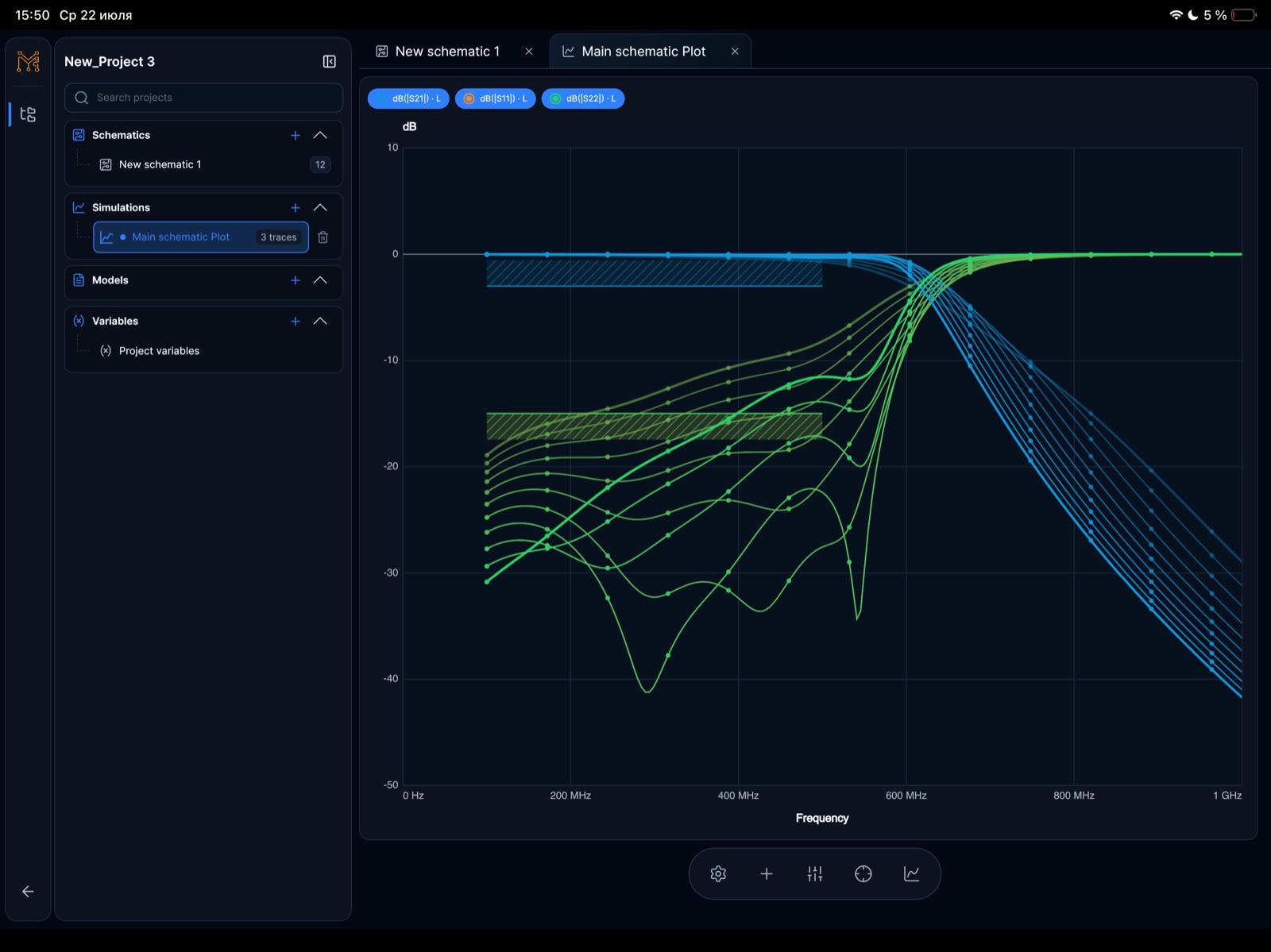
SPICE circuit simulator for iPhone, iPad and Android · iPad

From a touch-edited schematic to a measured response

Tersa is a compact workspace for learning, checking and tuning small analog and RF circuits. Create a schematic, configure an analysis and inspect the result without leaving the project. Simulation runs locally on your device.

  • DC operating point and DC sweep for bias and static response
  • AC analysis for small-signal frequency response
  • Transient analysis for time-domain waveforms
  • Linear two-port S11, S12, S21 and S22, return and insertion loss, and Smith charts

Try a 1.59 kHz RC low-pass filter

Build a first-order low-pass with R1 = 1 kΩ in series and C1 = 100 nF from the output to ground. With an ideal voltage source and no output load, the expected cutoff is fc = 1/(2πRC) ≈ 1.59 kHz.

  • Set the AC source amplitude to 1 V and sweep from 10 Hz to 100 kHz.
  • Plot the output voltage. A marker near 1.59 kHz should show about −3 dB relative to the low-frequency level.
  • For a separate transient check, apply a 0-to-1 V step. The output should reach about 63% after RC = 100 µs.
  • Use the tuner to change R1 to 2 kΩ, rerun and compare: the ideal cutoff falls to about 796 Hz.

Start small, then check your models

Explore the included RC and LC sample projects or draw your own circuit. Import supported SPICE model cards and subcircuits when needed; support for one model does not imply support for every simulator dialect.

  • Check model syntax, pins and parameters before relying on an imported part.
  • Full compatibility with LTspice models, directives or project files is not promised.
  • Check numerical settings and verify results independently before fabrication or safety-related use.


Continue the workflow

  • Online ECAD schematic editor →

    Create circuit schematics, run SPICE-compatible analysis, inspect S-parameters and Smith charts, and tune component values across tablet and desktop.

  • RF S-parameter analysis workspace →

    Inspect S11, S21, S12, S22, return loss, insertion loss, stability, gain, and marker-driven RF measurements in Tersa EDA.

  • Online Smith Chart Calculator →

    Online Smith chart: plot impedance, calculate VSWR and return loss, and find ideal L/C matching networks at one frequency. Free, no account.

  • RF and analog engineering tools →

    Explore Tersa EDA tools for schematic editing, SPICE-compatible simulation, S-parameter analysis, Smith charts, RF measurements, and component tuning.

Continue the RF design path

Move between matching theory, a practical Tersa workflow, S-parameter analysis, and Smith chart inspection.

FAQ

Is Tersa available for iPhone, iPad and Android?

Available for iPhone, iPad and Android. Availability may vary by country or region. App Store (iPhone/iPad) · Google Play (Android).

Can I tune a circuit and compare the result?

Yes. Change supported component values with the tuner, run the analysis again, and inspect the updated plots and markers in the same project.

Is this the browser simulator?

This page describes the iPhone, iPad and Android app. Web CAD is a separate browser workspace. Its features and project availability should be checked separately; this page does not promise app/browser parity or project synchronization.