




Tersa EDA

Tool directory

RF and analog engineering tools

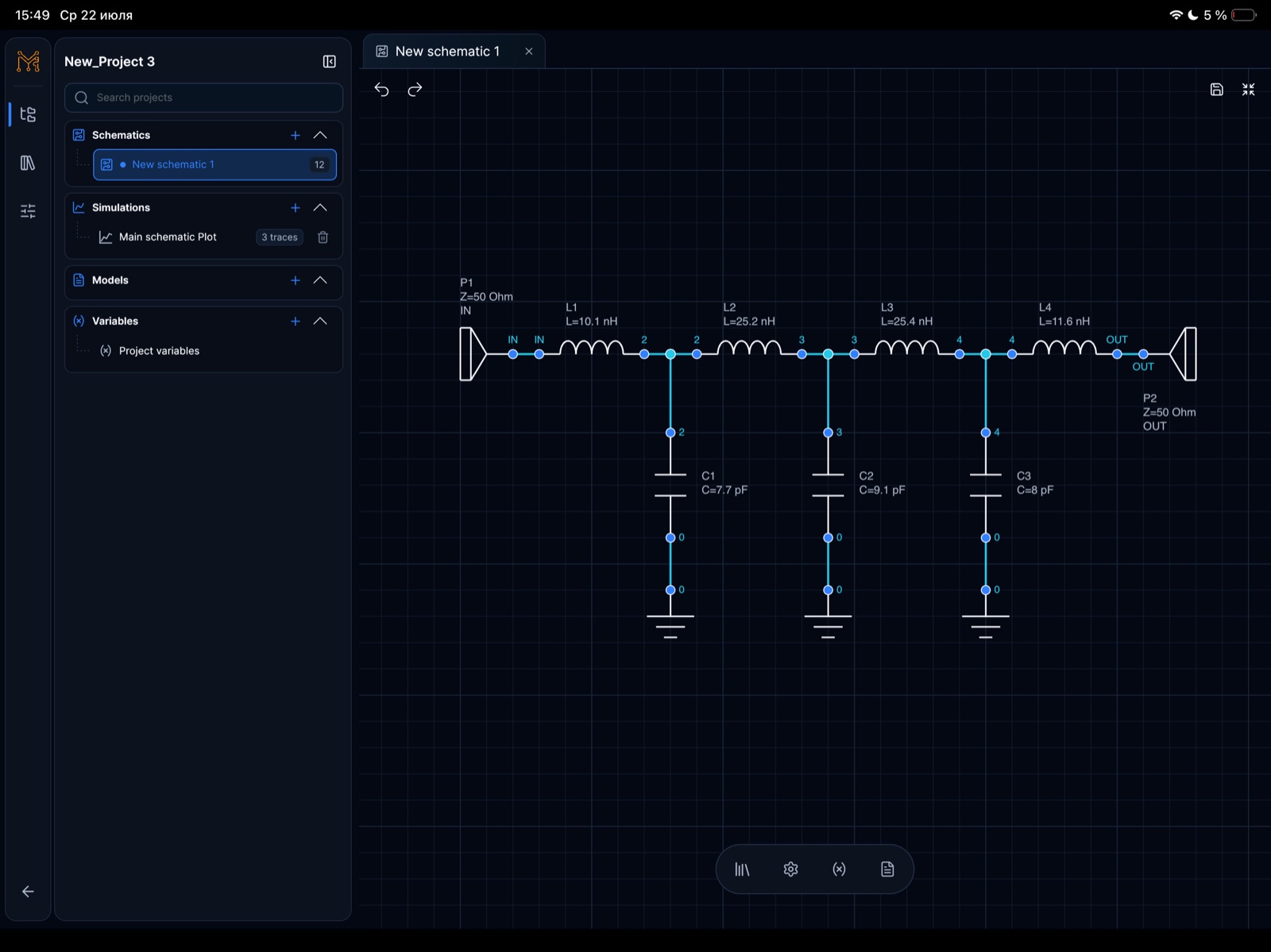
Explore Tersa EDA tools for schematic editing, SPICE-compatible simulation, S-parameter analysis, Smith charts, RF measurements, and component tuning.

ECADSPICERFSmith chartanalog simulation
RF and analog engineering tools
Workflows
5
Category
RF / analog
Workflow
draw -> measure -> tune

Schematic

Capture, ports, labels, reusable sheets, and touch-friendly editing.

Plots

Waveforms, measurements, markers, RF traces, and tuning feedback.

RF

S-parameters, return loss, insertion loss, Smith chart, gain, and stability.

Tuner

Tune components and compare response changes without leaving the workspace.

One workspace for the circuit loop

Move from schematic capture into simulation, RF measurements, Smith chart inspection, and component tuning without splitting the experiment across disconnected tools.

  • ECAD schematic editor
  • SPICE-compatible simulation
  • RF S-parameter analysis
  • Smith chart inspection

Choose the view that matches the task

Start with the schematic, then open the analysis view needed for the decision you are making.

  • AC and transient waveforms
  • S11, S21, S12, and S22 traces
  • Impedance and matching trajectories
  • Tablet and desktop circuit review

Related engineering routes

Continue the workflow

FAQ

Which workflow should I open first?

Start with the ECAD schematic editor, then move to SPICE, RF, or Smith chart views according to the measurement you need.

Can I review the same circuit on different devices?

The interface is designed for mobile, tablet, and desktop screens, with the beta focused on practical cross-device review.