




RF analysis

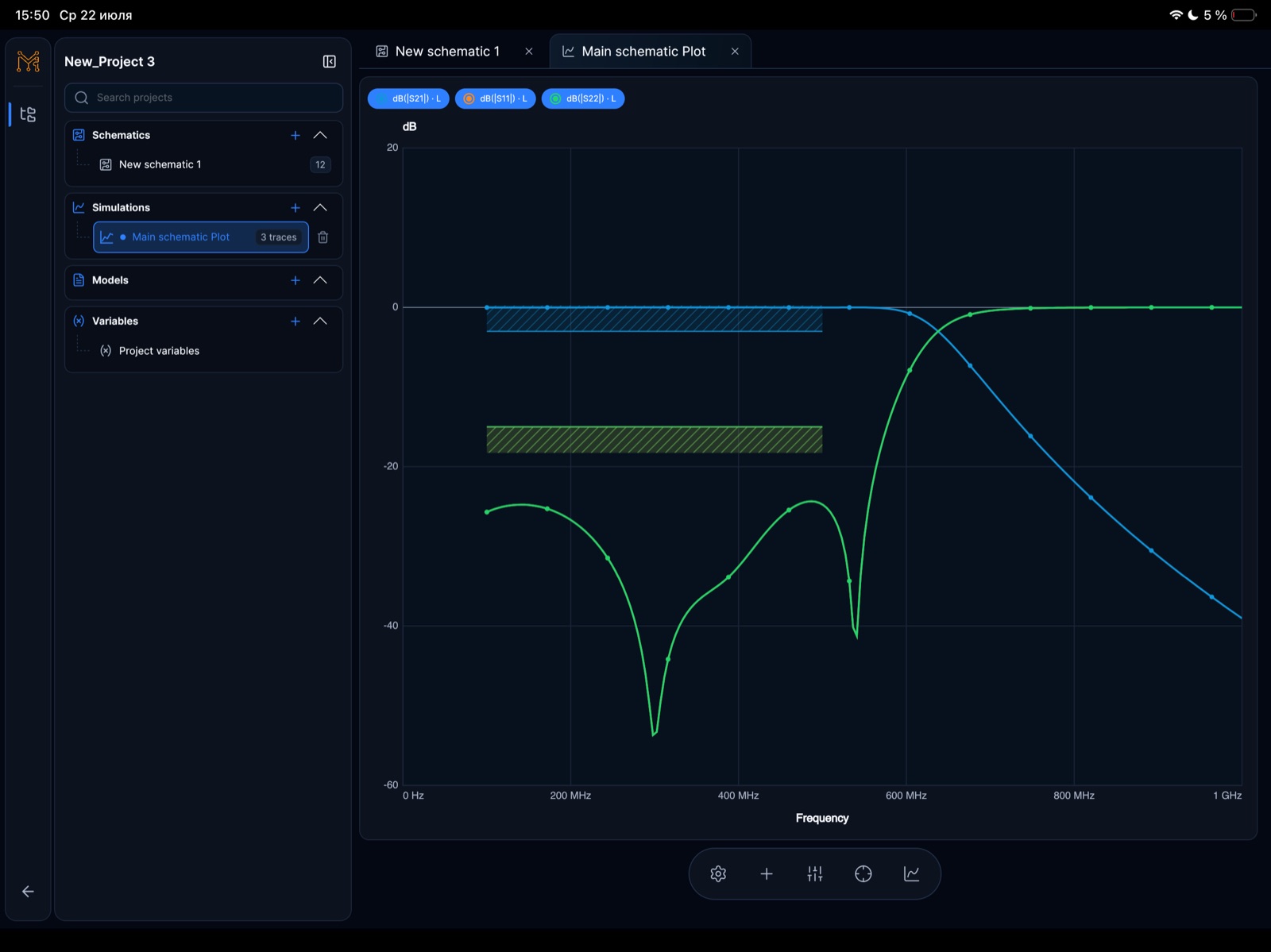
RF S-parameter analysis workspace

Inspect S11, S21, S12, S22, return loss, insertion loss, stability, gain, and marker-driven RF measurements in Tersa EDA.

Open Smith chart →
RF S-parameter analysis workspace · iPad

RF measurements beside the circuit

Compare S11 and S21 at the same frequencies to inspect reflection and transmission. Use markers to check losses against the circuit requirements.

  • S-parameter traces
  • Return and insertion loss
  • Gain and stability metrics
  • Target-frequency markers

Connected to Smith chart inspection

After reviewing the S-parameters, inspect the impedance at the target frequency on a Smith chart. Compare the trajectory before and after changing component values.

  • Inspect S11 and S22 trajectories
  • Review impedance movement over frequency
  • Keep markers and plots in the same workflow
  • Tune values and compare responses

Continue the workflow

Continue the RF design path

Move between matching theory, a practical Tersa workflow, S-parameter analysis, and Smith chart inspection.

FAQ

What S-parameters are supported?

The workflow is positioned around S11, S21, S12, and S22.

Is this only for RF engineers?

It is RF-focused, but useful for analog designers who need quick frequency-response and matching checks.