ECAD workspace

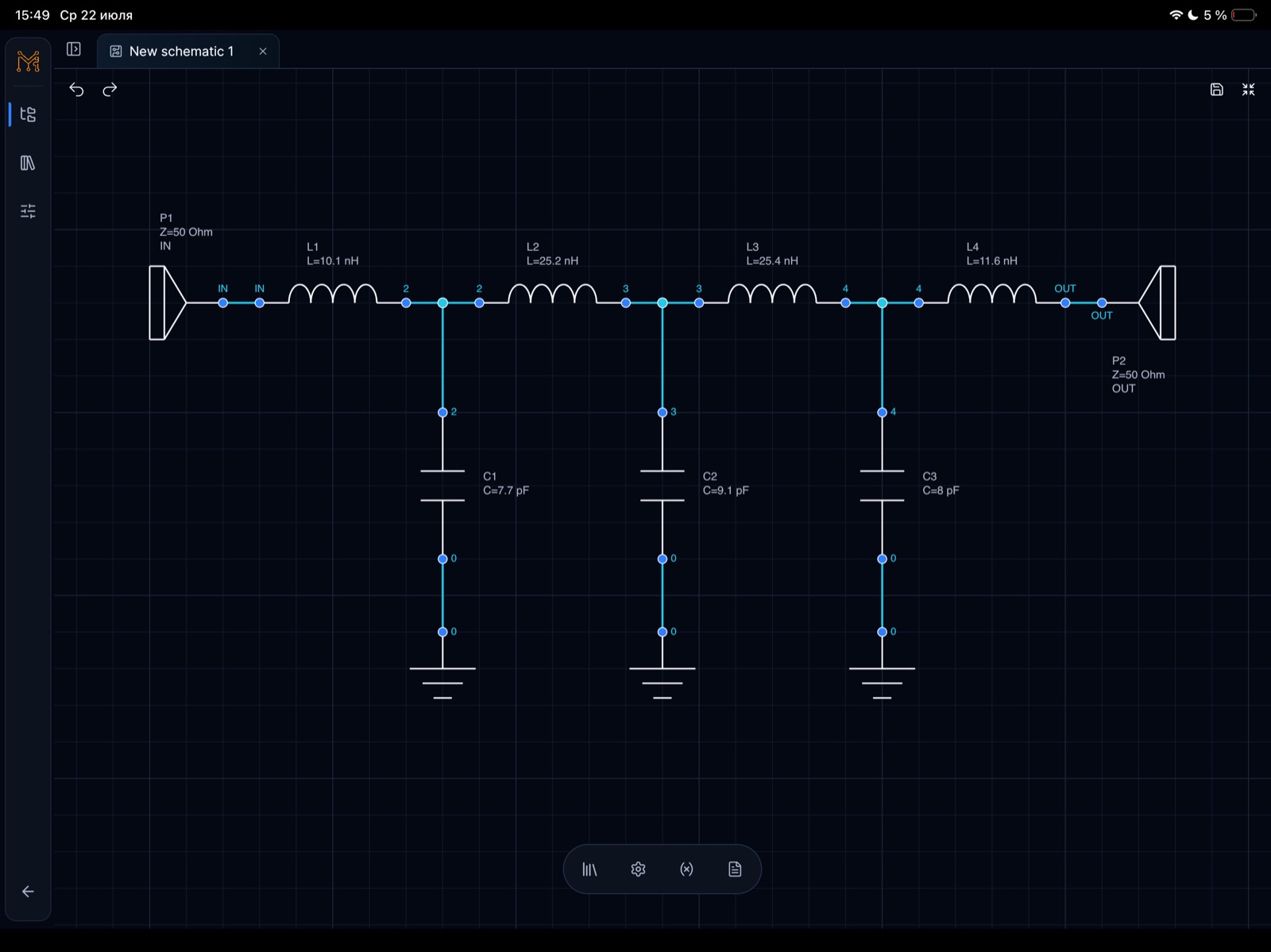
Online ECAD schematic editor

Create circuit schematics, run SPICE-compatible analysis, inspect S-parameters and Smith charts, and tune component values across tablet and desktop.

Open SPICE workflow →
Online ECAD schematic editor · iPad

Built for quick analog and RF experiments

The product is not trying to replace full desktop EDA suites. It focuses on capture, analysis setup, measurement, plots, tuning, and fast iteration.

  • Touch-friendly schematic editing
  • AC, transient, and RF analysis setup
  • Live component value tuning
  • Plots, markers, and measurement views

Shared analysis model

Every engineering surface points into the same product loop: create a schematic, choose analysis, add measurements, inspect results, then tune values.

  • Schematic capture remains the source of truth
  • Measurements stay attached to plots
  • RF and analog workflows share navigation
  • Results are structured for future cloud sync

Continue the workflow

Continue the RF design path

Move between matching theory, a practical Tersa workflow, S-parameter analysis, and Smith chart inspection.

FAQ

Is this a PCB layout tool?

Not yet. The current public positioning is schematic capture, simulation, measurement, plotting, and RF/analog tuning.

Is it a replacement for ADS, AWR, or LTspice?

No. It is a lightweight RF and analog tuning workspace designed to complement heavyweight desktop tools.